How to apply for a telegraph robot?
1. First, find the official Telegram BotFather bot. Note that there are many fake BotFather bots, so please do not make a mistake to avoid losses.
The official BotFather bot username does not include the "bot" suffix; it is simply "@BotFather". Any usernames with "bot" at the end, such as "@BotFatherBot", "@BotFather_bot", etc., are fake.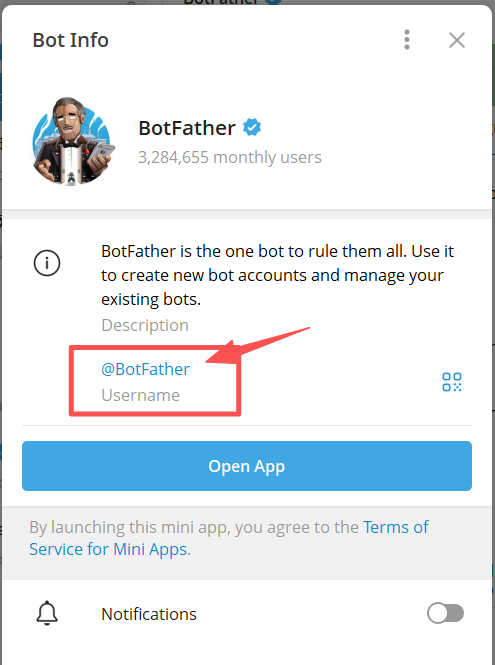
Once found, click start.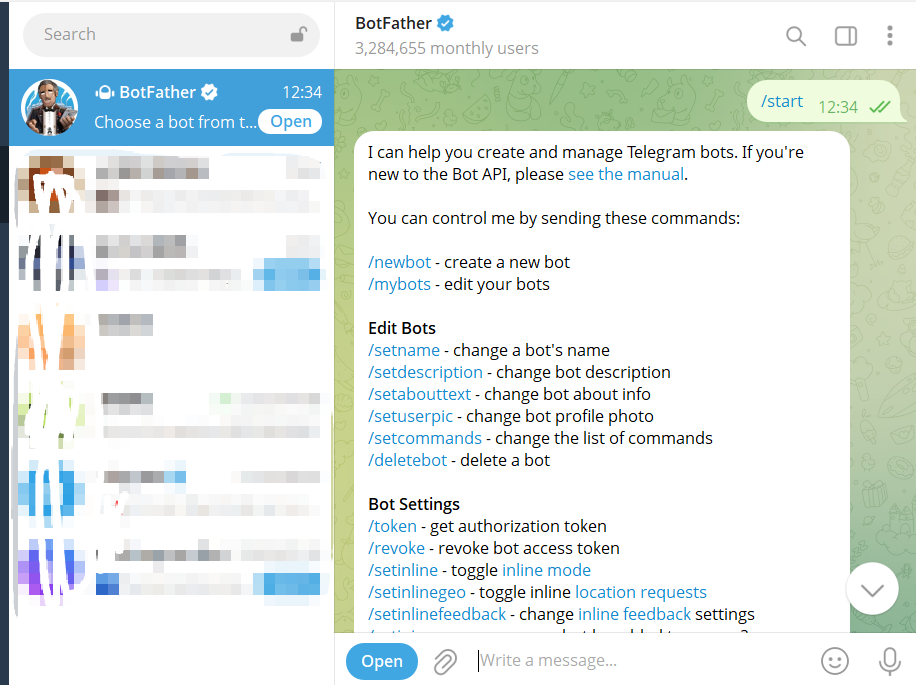
2.Use the /newbot command to create a new robot.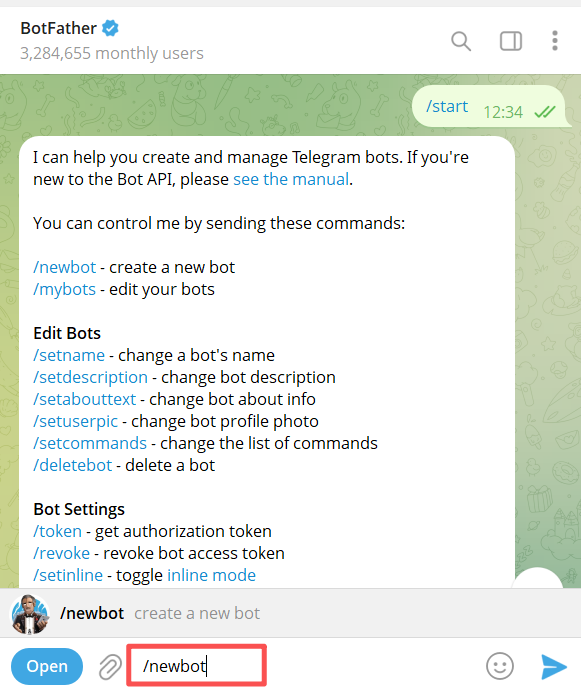
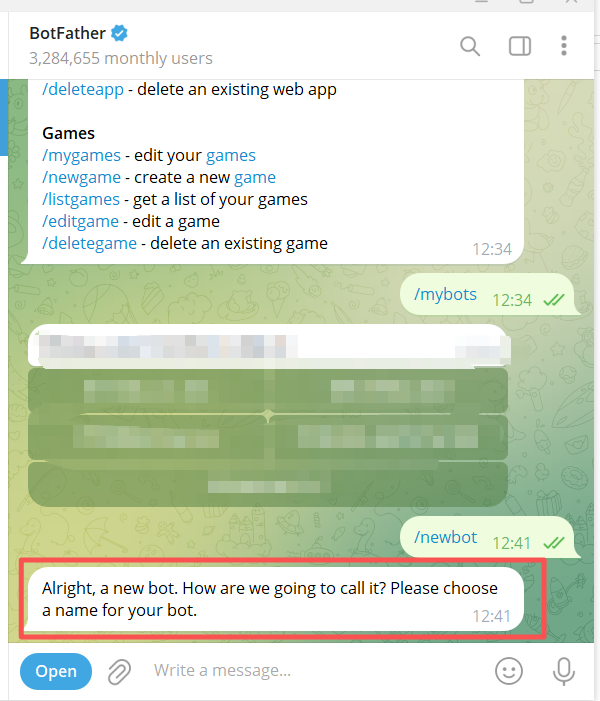
3.Enter a name for the robot, such as "MyFunnyWorld".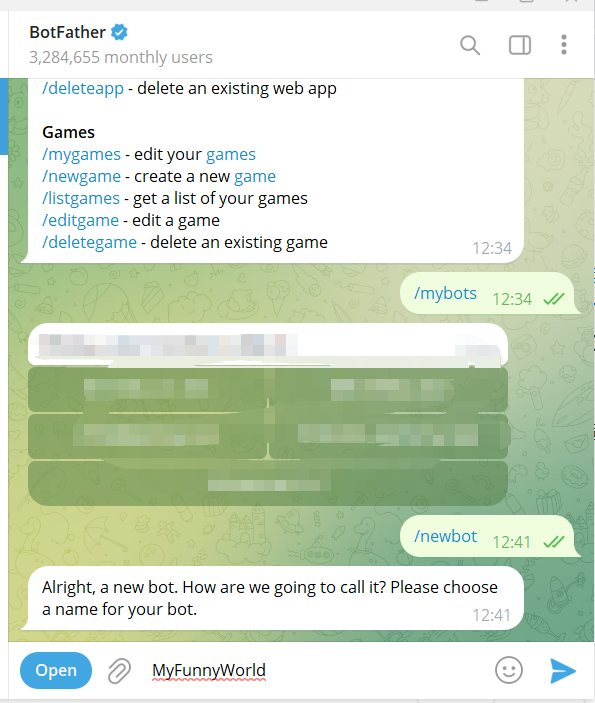
4.After pressing Enter, enter the robot's username. Only English letters, numbers, and underscores are allowed, and it must end with "bot"!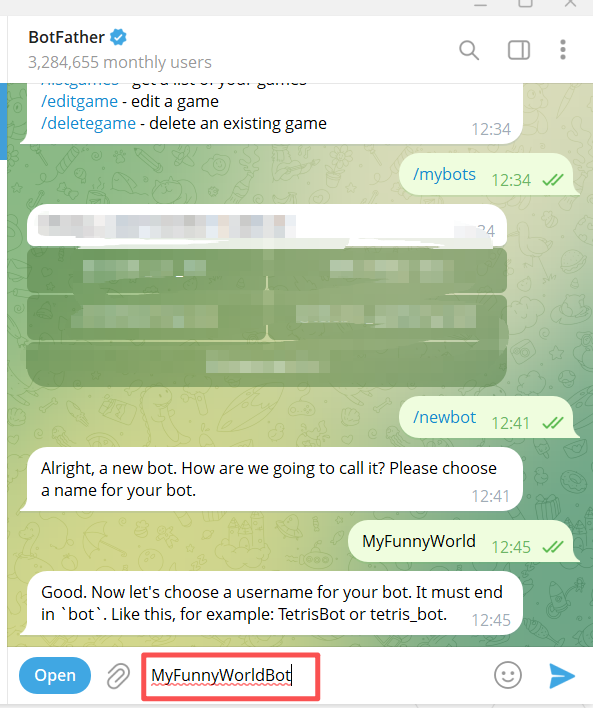
5.After pressing Enter, the robot will be successfully created, and you will receive the robot token.
(You can then enter the robot token on this platform for self-management.)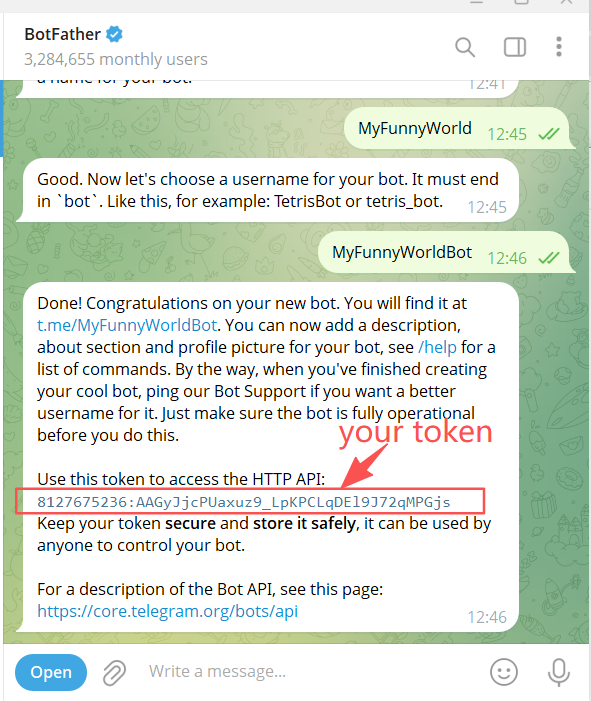
6.There are other commands available for viewing and managing the robots that have been applied for.

Use your own robot, no longer need to use other people's robots, manage your own groups, channels, set message review, automatic replies, managers, etc. Most importantly, use your own robot to avoid the security concerns brought by using other people's robots!